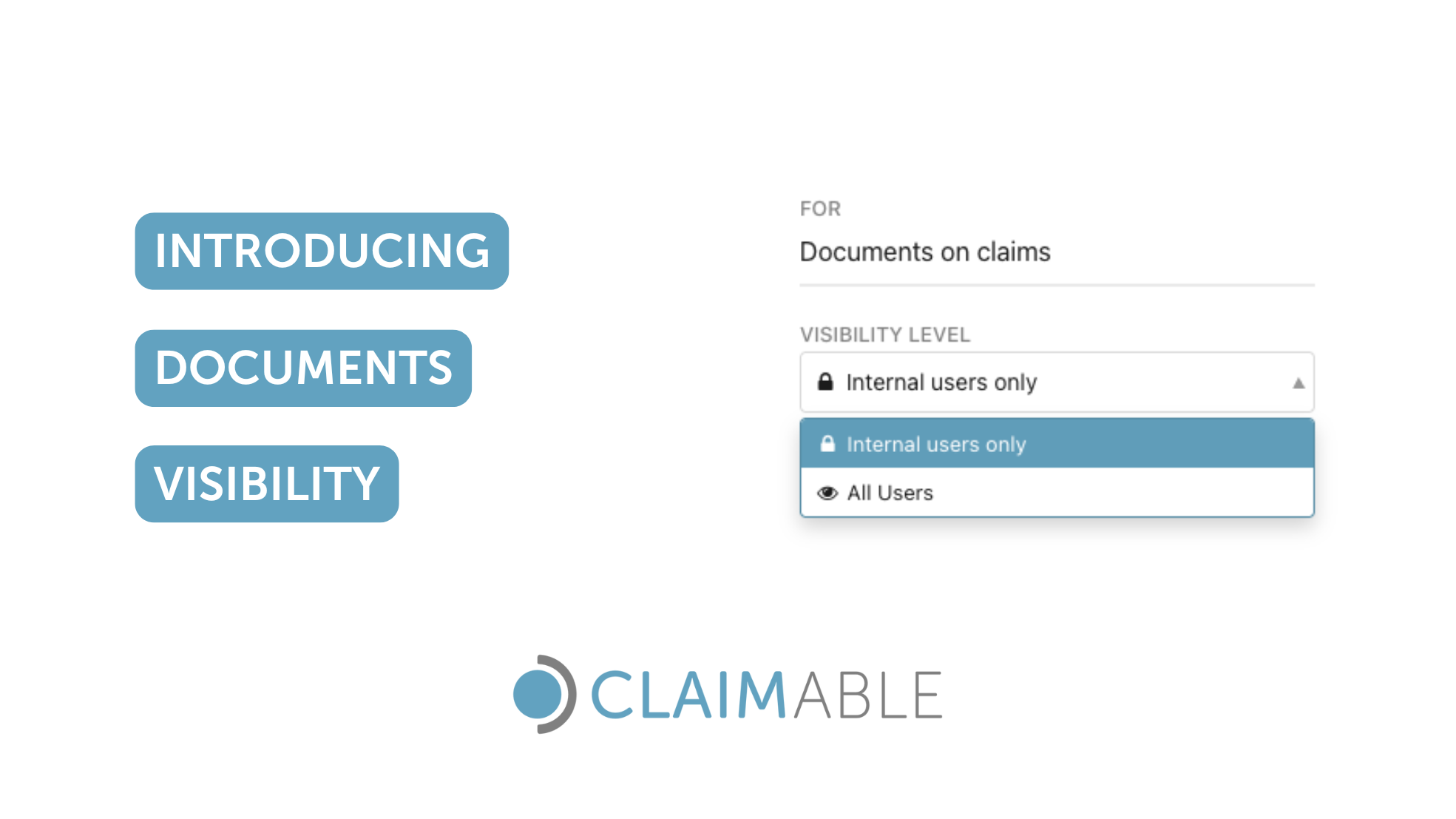
Claims management involves various moving parts and stakeholders.
Claimable claims management software enables businesses to collaborate easily with external parties, such as clients and suppliers, granting them access to work on specific claims or review claim information.
External users in Claimable are fully managed by the account owner, and they only have access to a select number of claims that is appointed to them.
To enhance data access control within Claimable, we have just released our Document Folders Visibility feature. This new functionality allows you to make folders, and therefore documents, private to your internal users only.
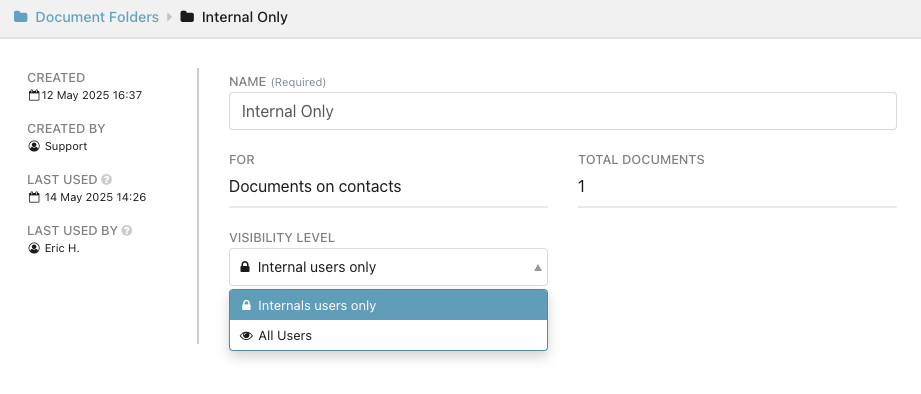
This new feature is part of our continuous effort to enhance data access control for our customers and help them comply with privacy policies and security standards.
Document visibility along with the other data access control features Claimable offers, enables risk management teams to collaborate with external stakeholders managing and processing claims.
How does Documents Visibility work?
Claimable allows you to change the visibility of documents making them accessible to all users in your account or only to internal users.
Documents visibility is achieved via Document Folders. Moving documents to a private folder will make the documents only visible to internal users.
If a folder visibility is set to "All Users", the documents contained in that folder will be visible to all users.
If a folder visibility is set to "Your Company users only" the documents contained in that folder will only be visible to internal users.
Private folders show a padlock icon near their name.
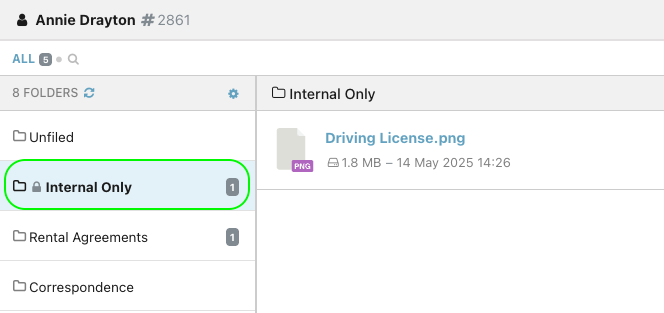
Only internal users with the role admin and manager can create and set the visibility level to folders.
The Benefits of Claims Data Control
Claimable provides a suite of data access control feature to improve our clients’ security posture and promote collaboration between internal teams and external stakeholders.
Claims Information Protection
Safeguard sensitive data related to claim parties, including policy details, medical information, and financial data. Restricting unauthorised access also helps you minimise the risk of internal data breaches.
Compliance
Enhanced control over claims data helps you meet security requirements and comply with industry-specific regulations. In addition to supporting compliance with regulations such as OSHA, HIPAA, GDPR, maintaining access control will also facilitate conformity with security certifications.
Operational Benefits
Maintain version control by limiting who can change specific documents and ensure that only your internal claim team can upload and update specific documents.
Risk Mitigation
Not all documents are meant for everyone’s eyes. Some may contain financial data, legal notes, or personally identifiable information (PII). Document visibility levels help you manage data responsibly by restricting documents access for external collaborators. Decrease the likelihood of data mishandling and potential data leaks.
Supplier Management
In many claims workflows, external suppliers or partners, like repair companies, loss adjusters, or service providers, only need access to documents relevant to a specific part of the claim.
Our new document visibility feature allows you to collaborate safely with suppliers on claims while ensuring restricted access to sensitive data.
Trust and Competitive Advantage
Demonstrate your commitment to protecting sensitive information by offering advanced security features that surpass those of less developed claims solutions.
Claimable is committed to provide robust data access control features to our users to continuously support growth and improved claims processing.
You can try it by yourself with a 14-day free trial, no credit card needed!